Read. Highlight. Retain.
Import highlights from Kindle, Libby, and more... then let Clipfully resurface them every day, so what you read actually sticks.
No credit card required - free to try
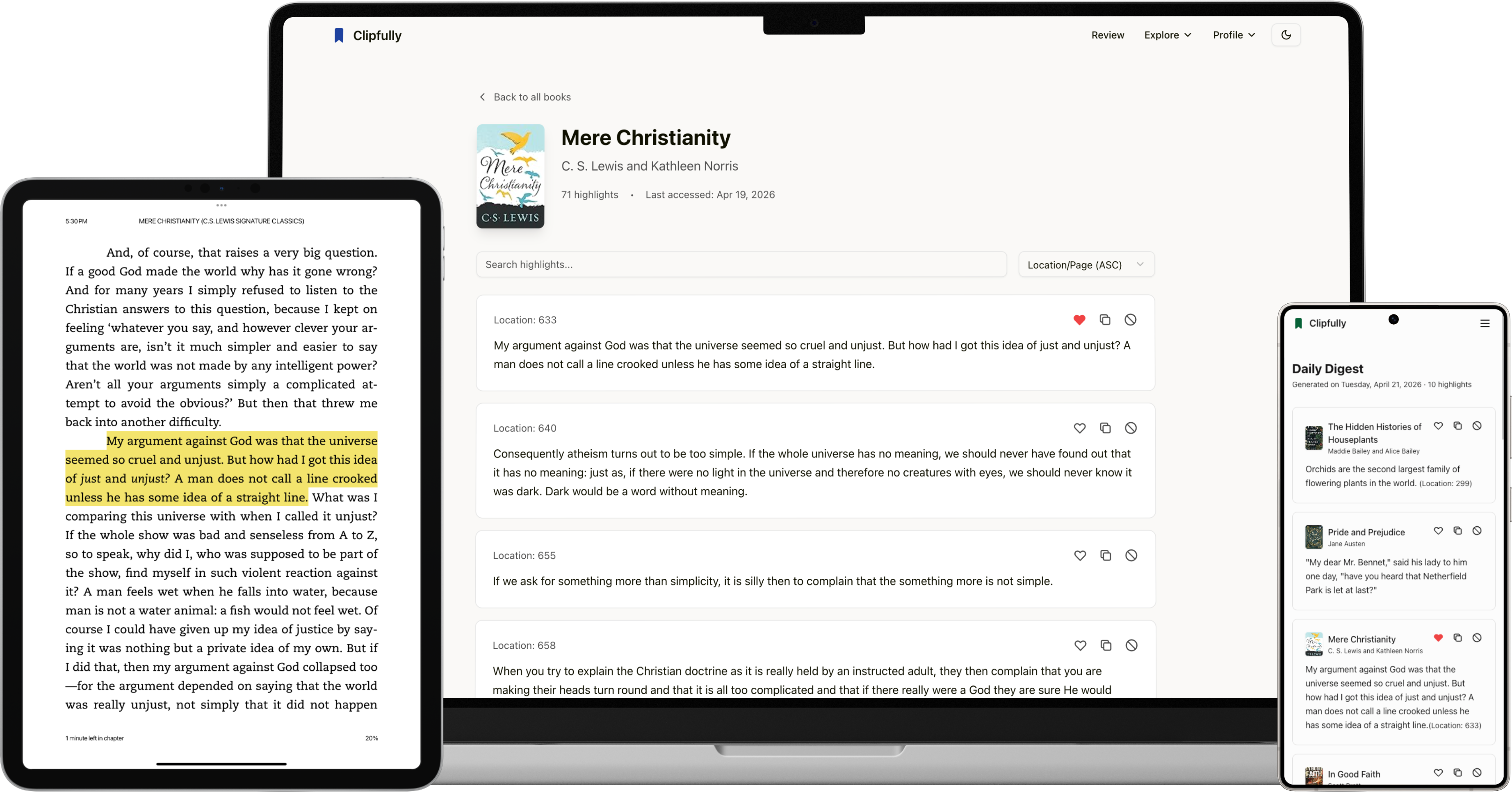
Import highlights from Kindle, Libby, and more... then let Clipfully resurface them every day, so what you read actually sticks.
No credit card required - free to try
You spend hours reading, but your best insights end up trapped in "digital graveyards." We built Clipfully to rescue them.
I highlight everything… then never look at it again.
Months later, I can't remember a single thing I read.
My notes are scattered across apps I've stopped opening.
Get started in just three easy steps
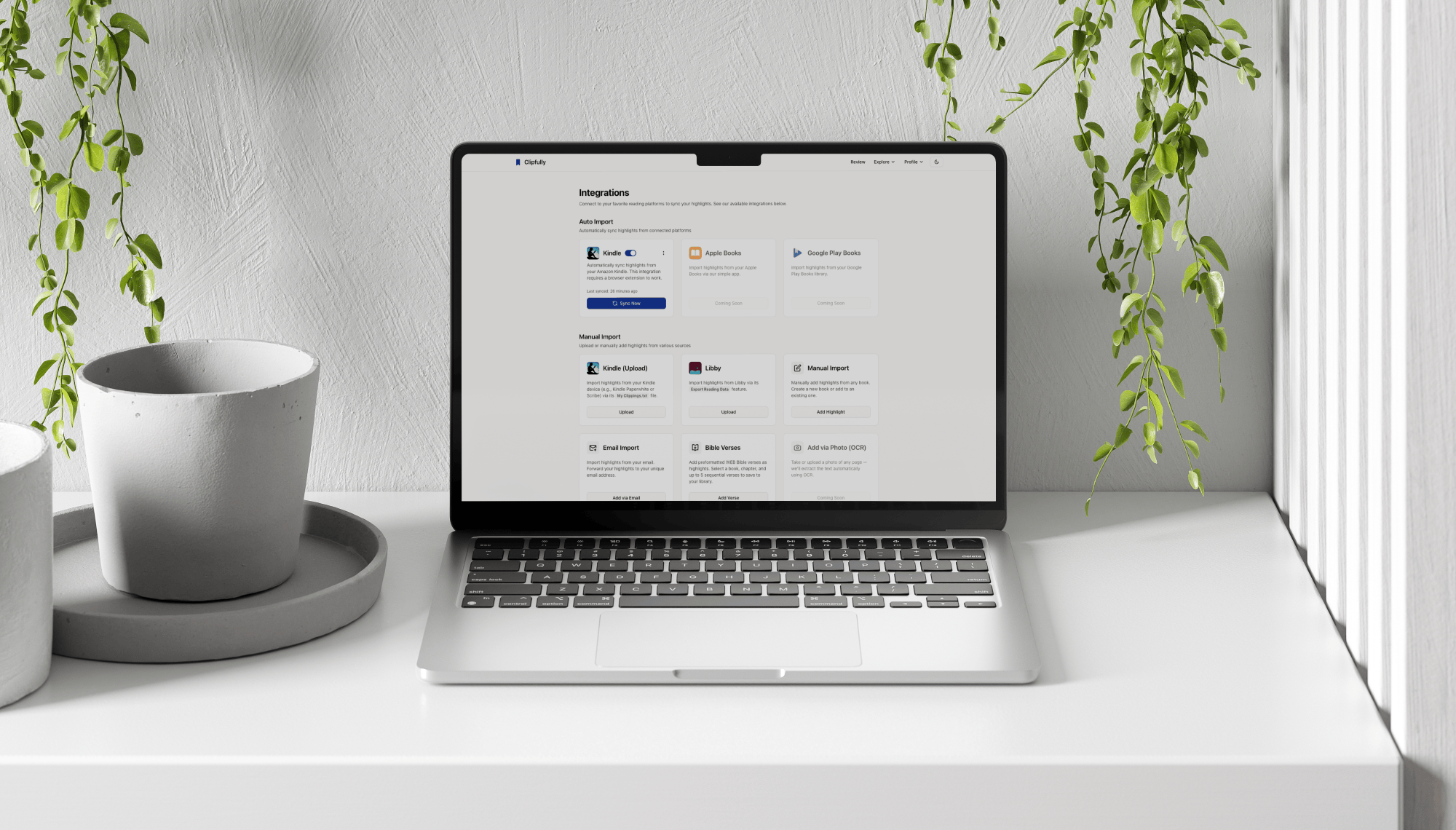
Link Kindle, Libby, or your browser extension in seconds. Clipfully pulls in all your existing highlights — no manual copy-paste required.
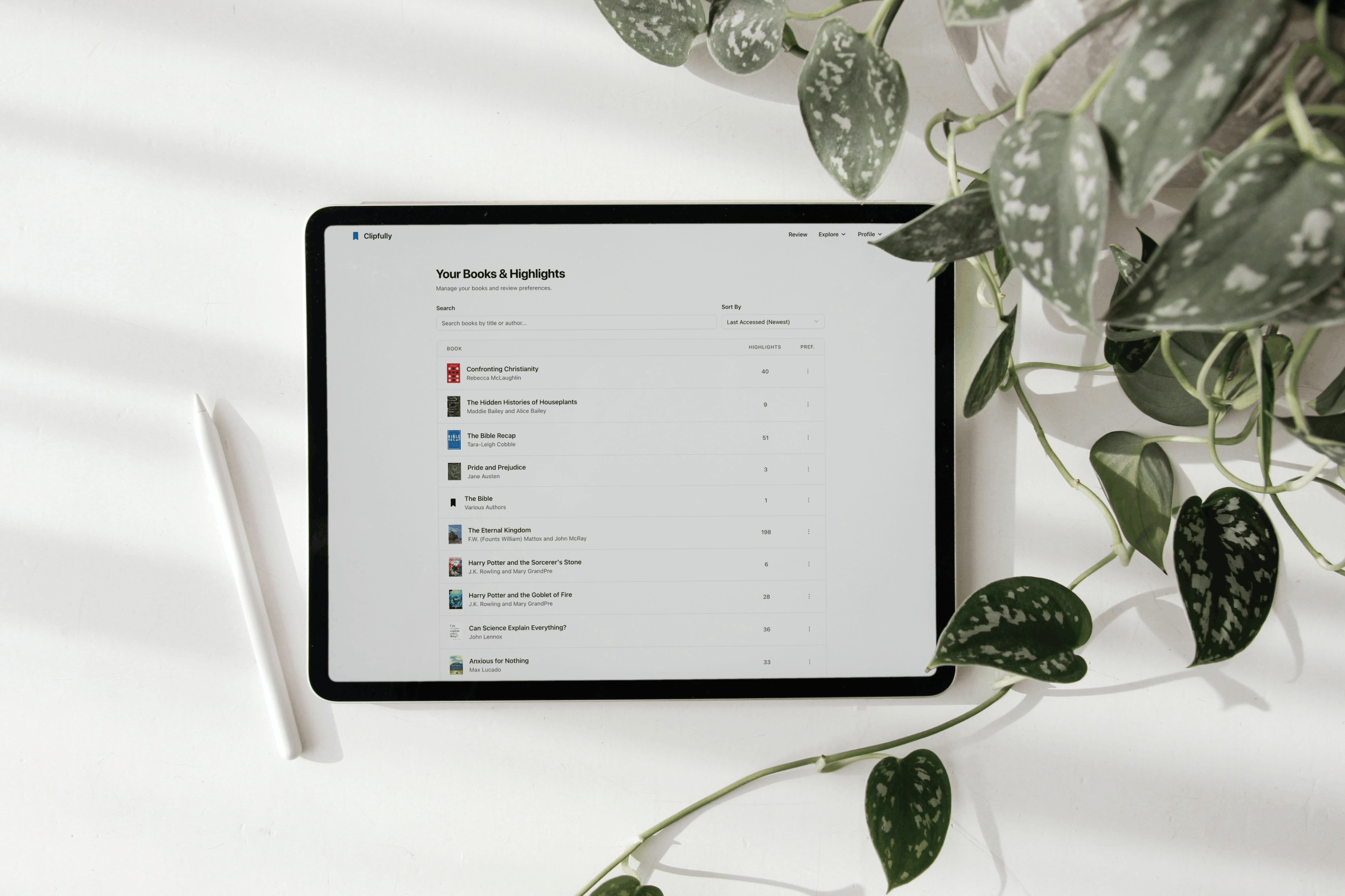
Every highlight from every book and article flows into a single, searchable feed. Tag, filter, and browse across all your reading in one place.
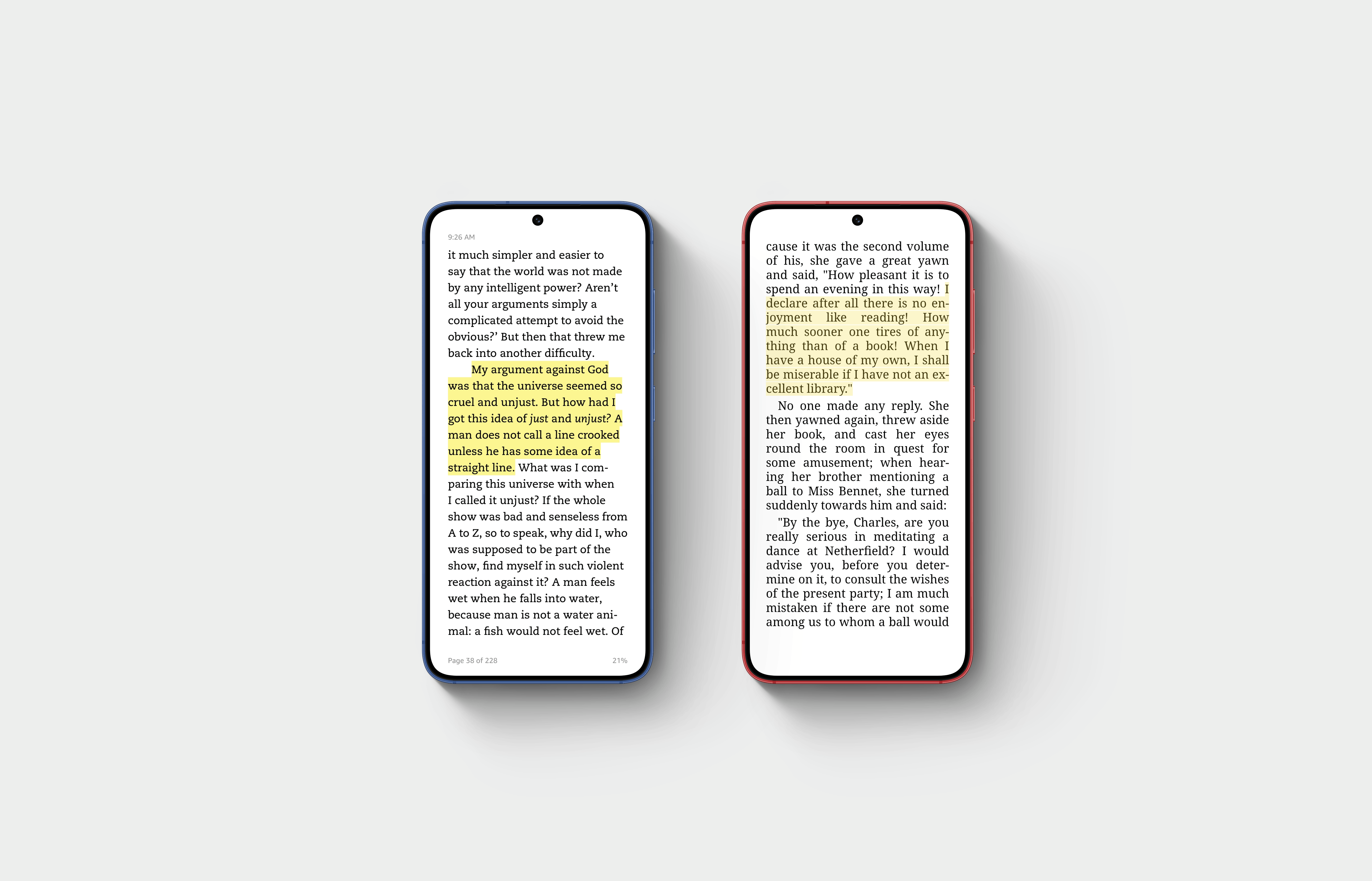
At your desired time, Clipfully sends you a handful of past highlights. No manual effort required.
Seamlessly import highlights from all your reading platforms in one unified library.

Import your Kindle highlights and notes automatically via our Chrome extension.

Access your library highlights from Libby seamlessly.
Highlight web content using Chrome browser extension.
Insert highlights manually using our web form.
Insert highlights by sending them to our email.
Supports
 Kindle
 Libby
Libby
 Apple
Apple

Switching from Readwise? Import all your highlights in one click to bring your library with you.
No credit card required. No pressure. Just highlights that stick.
Free Forever
Everything you need to get started with your highlights.
Premium
For serious readers who want their knowledge to actually stick.
Clipfully is designed to help readers capture, organize, and sync highlights across multiple platforms. Easily import and manage your highlights in one centralized workspace. To help you retain what you read, Clipfully also sends daily review emails that resurface past highlights and keep your learning fresh and actionable.
Clipfully is a simpler, lighter alternative to Readwise, built for people who want an easy way to import and export highlights and receive daily emails that help them remember what they read. Readwise is a great choice if you need a wide range of integrations or want more advanced features like Readwise Reader. Clipfully focuses on the essentials most people actually use day-to-day. For many readers who only use 1-2 platforms and mainly want a clean daily review of their highlights, Clipfully is often all they need. It's also more affordable, making it a more accessible option for getting started with building a consistent reading habit.
Yes! You can easily import all your highlights from Readwise into Clipfully. Just use the import feature in Clipfully and follow the prompts to import all the highlights from your Readwise account.
Every day Clipfully picks a handful of your past highlights and delivers them straight to your inbox. You choose the time, the number of highlights, and the books you want to include. No app to open — it just shows up.
Yes. You can export your full highlight library as a CSV or plain text file at any time. Your data is always yours.
Yes. Your highlights are stored securely and are never shared, sold, or used to train AI models. Only you can see your library.
That's exactly what Clipfully is built for. Connect as many integrations as you like and all your highlights flow into a single unified library, regardless of where you read.
Nope! You can sign up, explore and import to Clipfully completely free for 30 days with no payment method required. A paid plan is available if you would like to continue using the service after the trial period.